Your existing CCTV
Keep the compatible cameras and recorders already installed at your sites.
IP camerasNVR / DVRVideo feeds
Veyviz in one view
It is a software application your business can buy and connect to compatible CCTV. Veyviz turns those video feeds into useful information, clear action and an easy record of what happened.
Keep the compatible cameras and recorders already installed at your sites.
 Notice what mattersSelected events become useful alerts.
 Find what happenedSearch large amounts of recorded video quickly.
 Start the next actionSend work to a person or an AI agent.
 Web appSee every site
 Mobile appAct from anywhere
 WhatsApp & SMSGet instant alerts
 Email reportsShare clear summariesAI agentsHandle routine steps
 Saved proofKnow what was done
How Veyviz works
One simple path shows what happened, who needs to act and whether the issue was fixed.
Spot activity that matters.
Add the place, time and rule.
Reach the right person.


A person or AI handles it.
Save the response and result.
A practical first rollout
Start with compatible cameras and one useful workflow. Add sites and automation after your team sees the value.
 01
01Keep the camera system you already use.
 02
02Choose one alert, one owner and one clear result.
03Add cameras, sites, reports and AI actions at your pace.
See it in practice
Which stores need help right now, and what is being done?
2 stores need attention now.
Sent both alerts, confirmed the extra counter at Central Mall and asked the Riverside manager to call.
Start simple
Pick a costly or risky problem. Prove it works. Then expand.
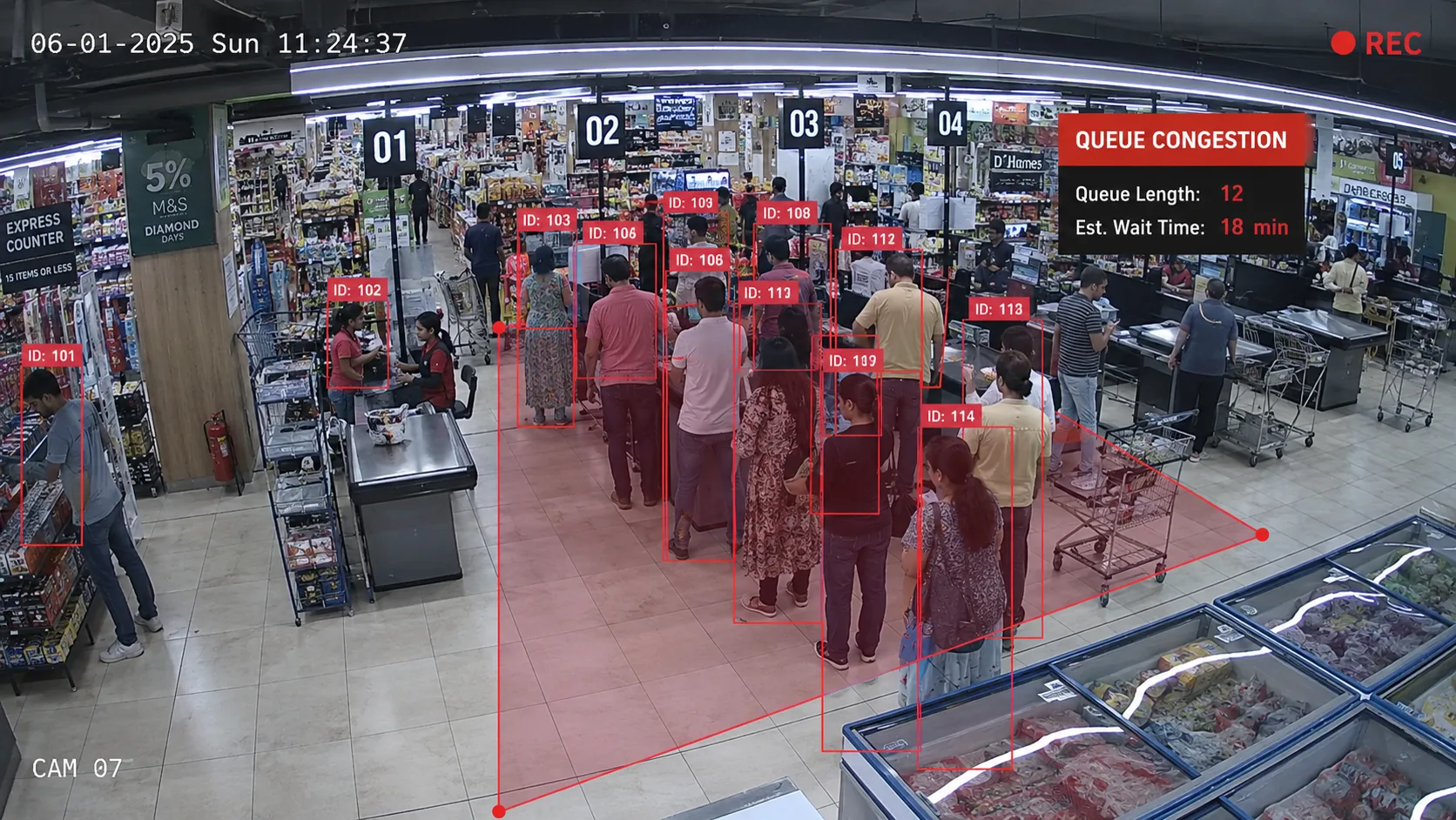
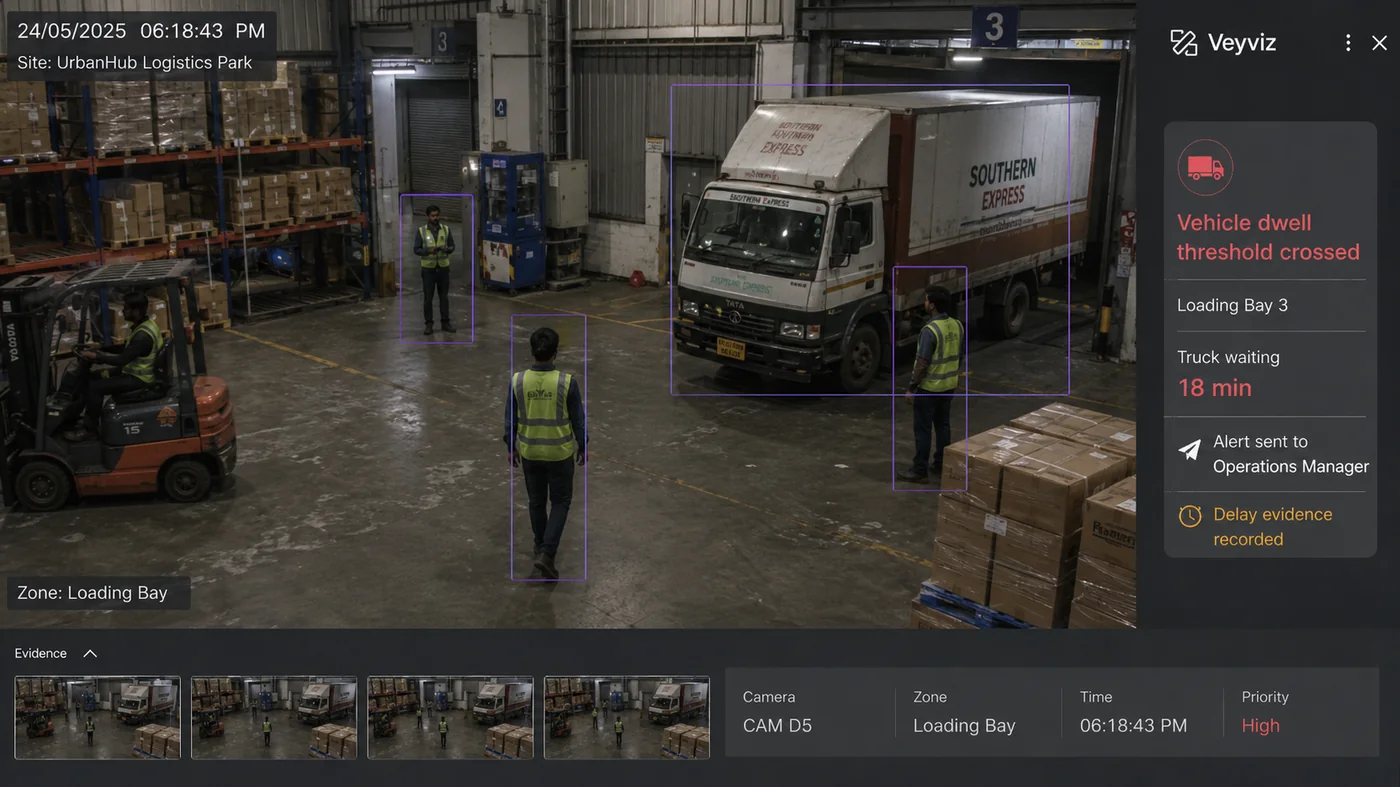
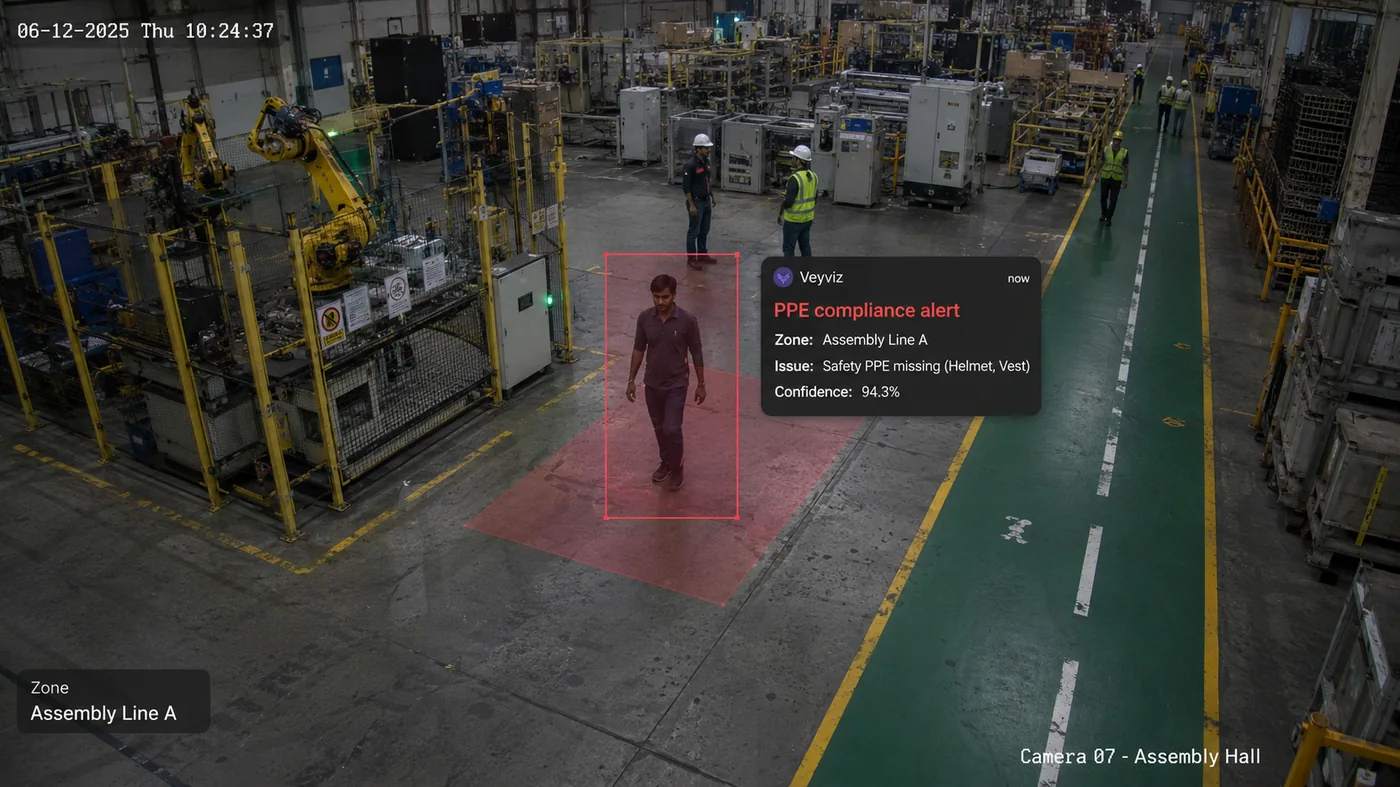
Built for real operations
Veyviz is already helping customers turn CCTV into useful alerts, clear responsibility and visible results.
Configured cameras can watch for important events during the day, at night and on weekends.
Veyviz, WhatsApp, SMS and email.
Keep what happened, who responded and how the issue was resolved together.
Supporting a working cinema environment where teams need to see an event, respond and review what happened.
Connect compatible cameras and recorders without replacing your entire CCTV system.
Technology delivery and customer relationships spanning India and Australia, with presence in Kuwait, Saudi Arabia and the UK.
Veyviz product journey
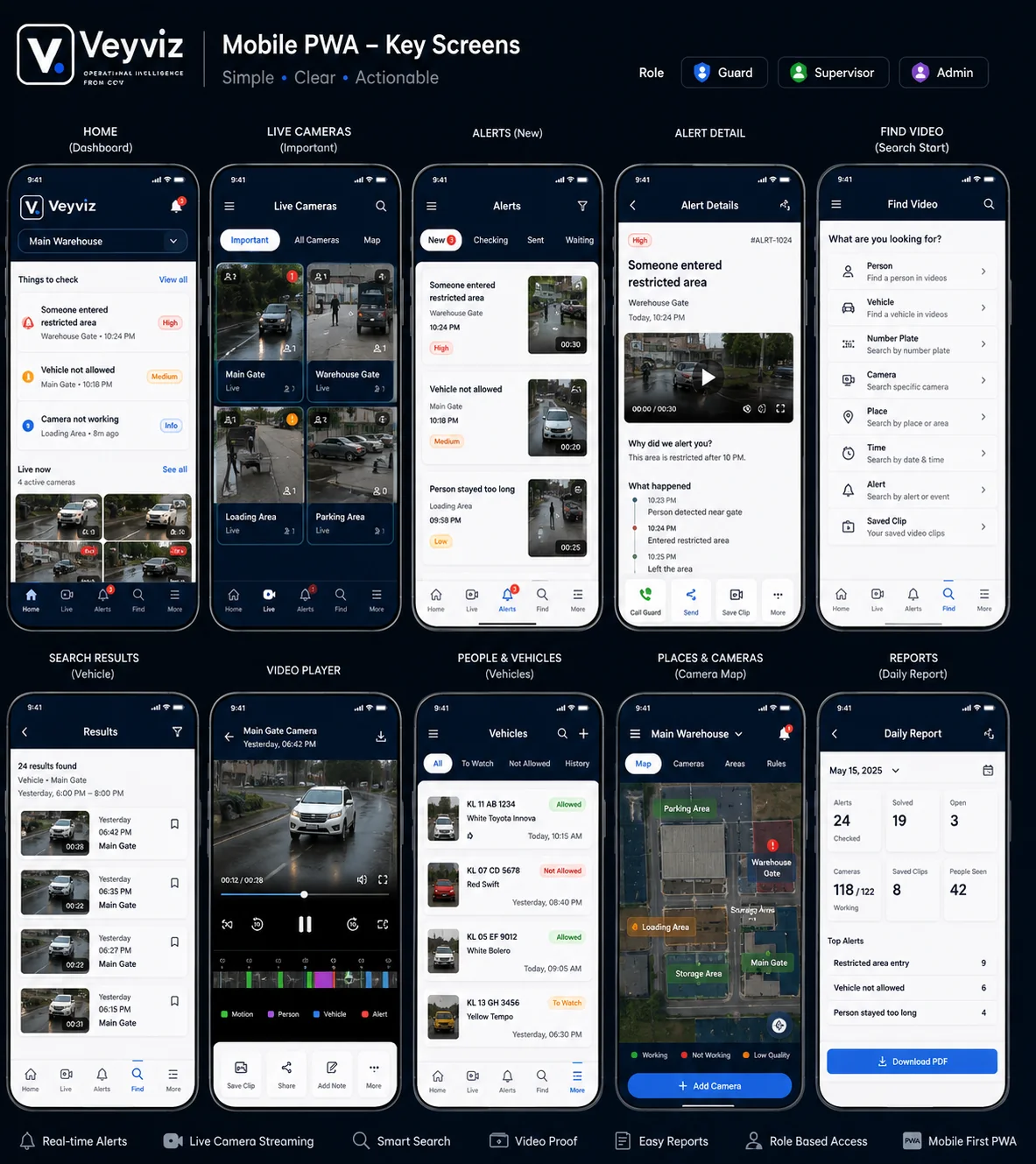
Choose a step to see the Veyviz screen your team uses.
See live video and camera health without replacing working CCTV.
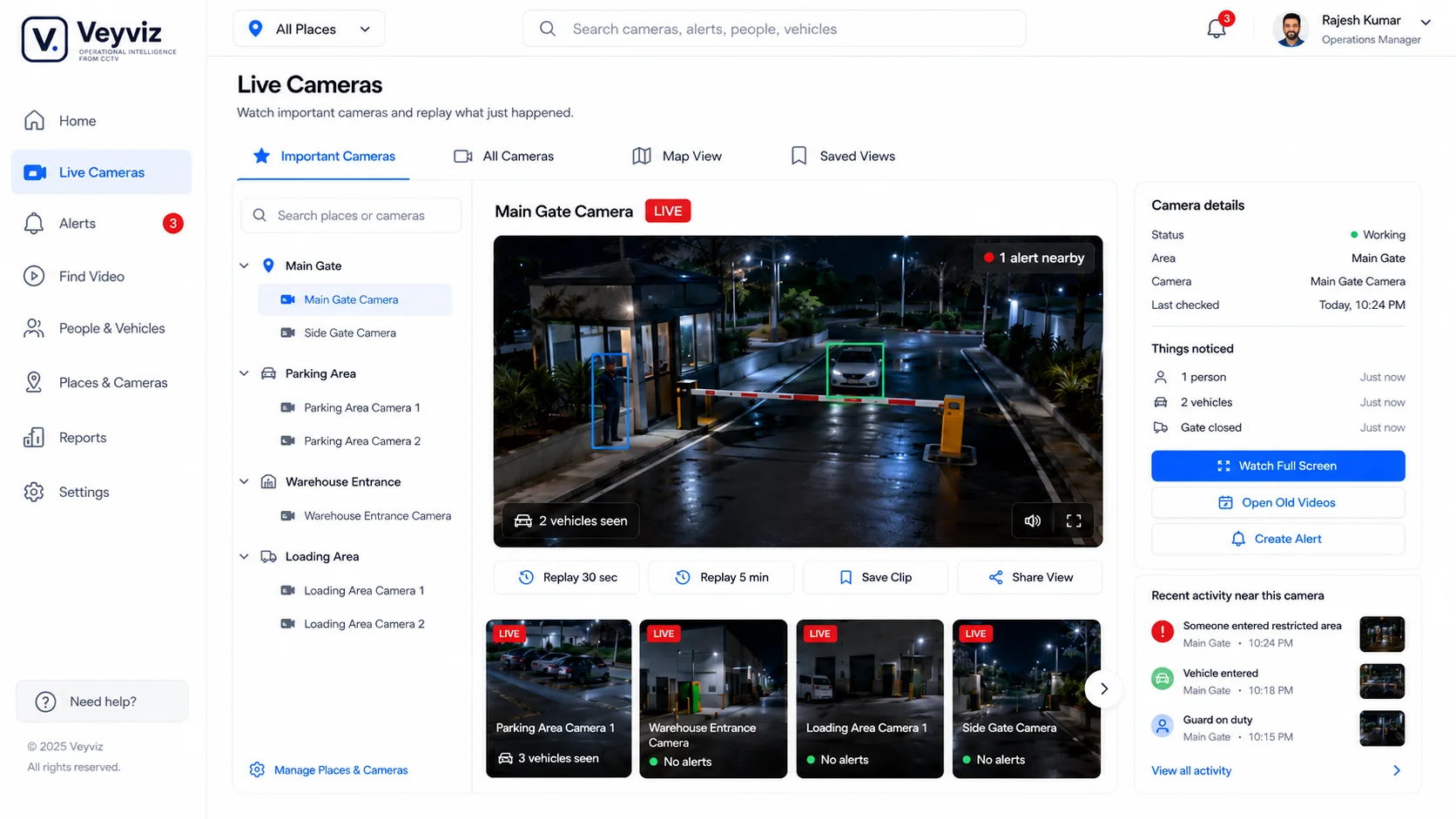
Bring alerts, owners and status into one practical queue.
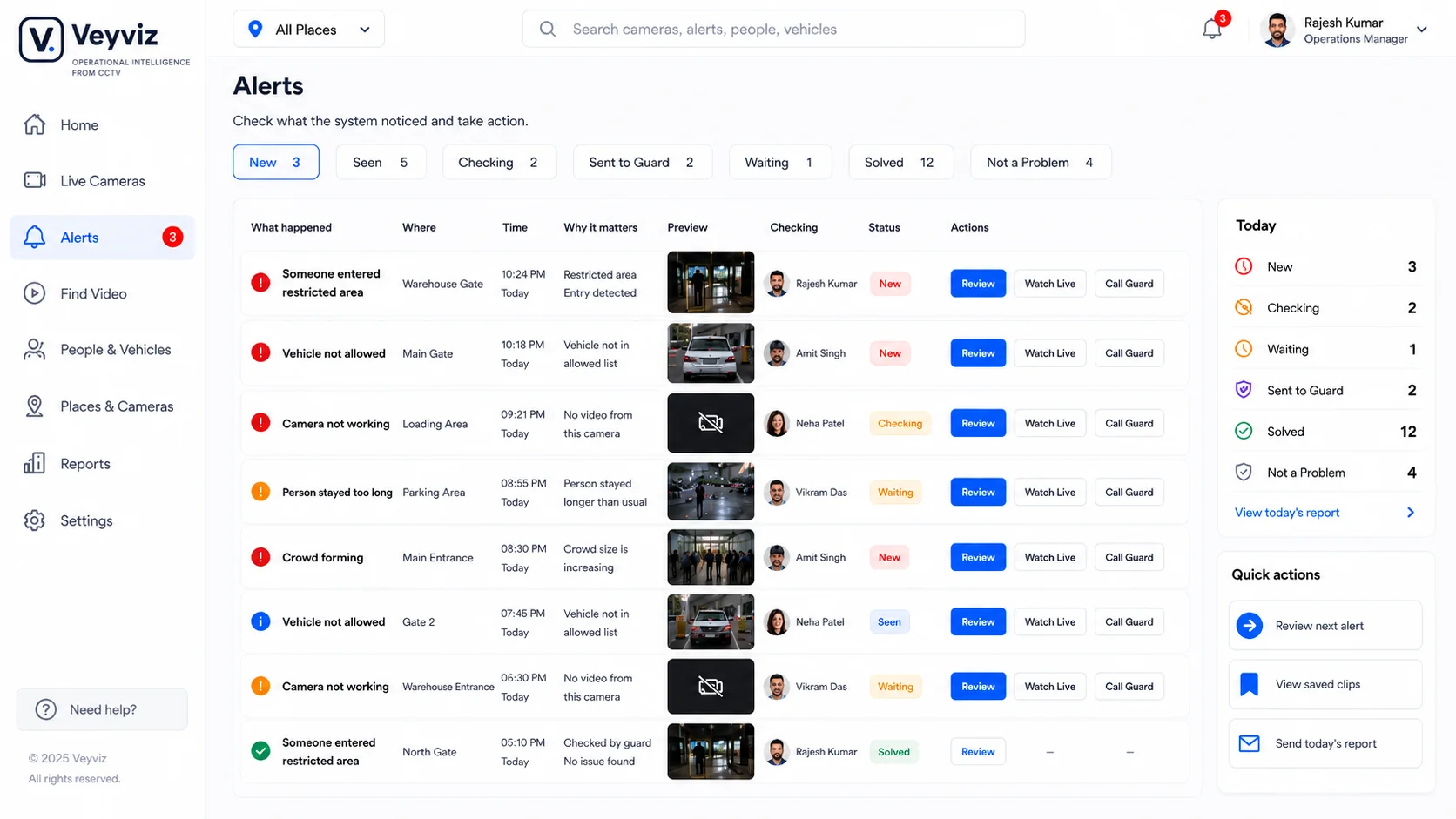
Send the event, place and next step through WhatsApp, SMS, email or mobile.
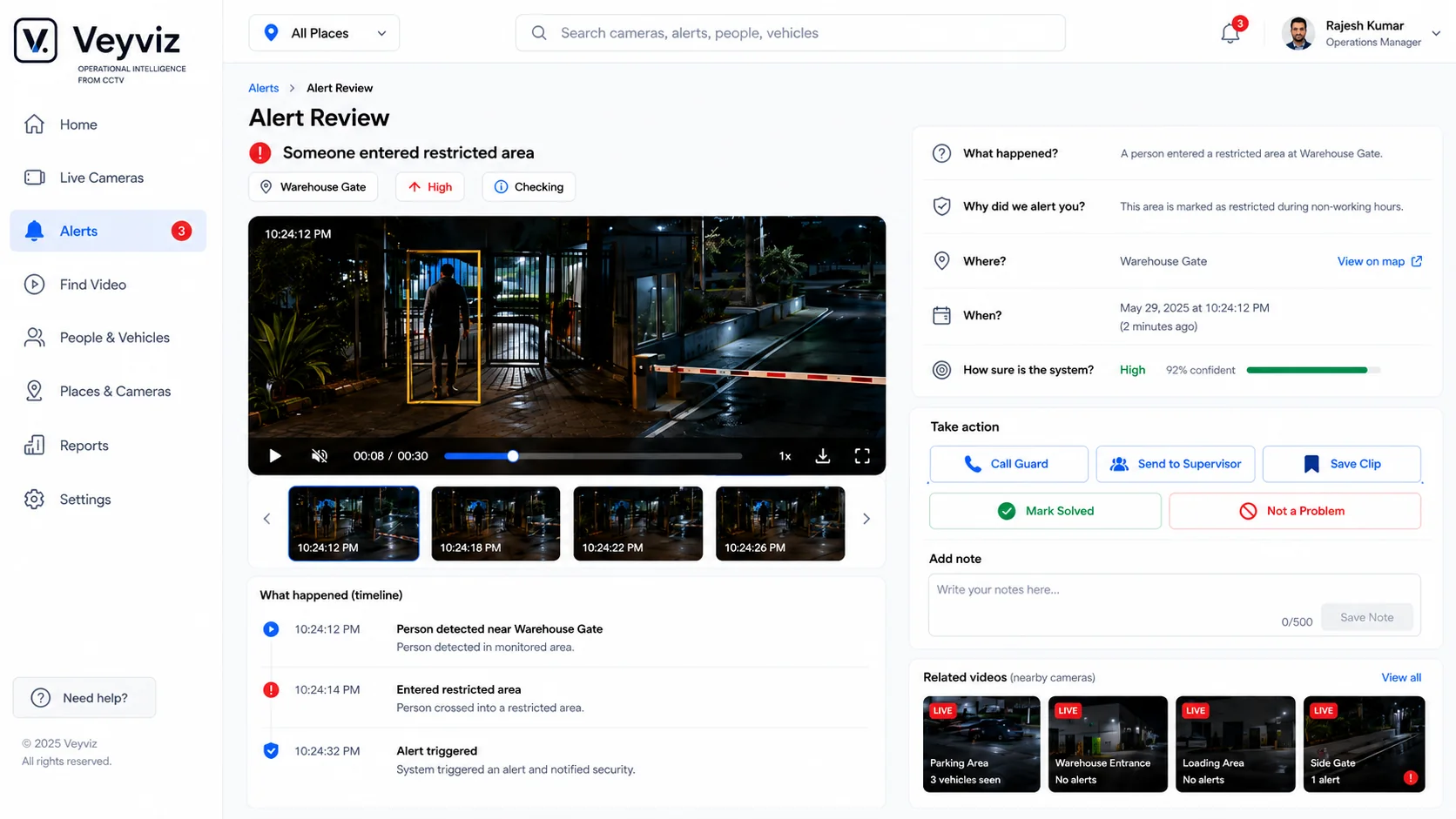
Operators review evidence, take action and record the outcome.
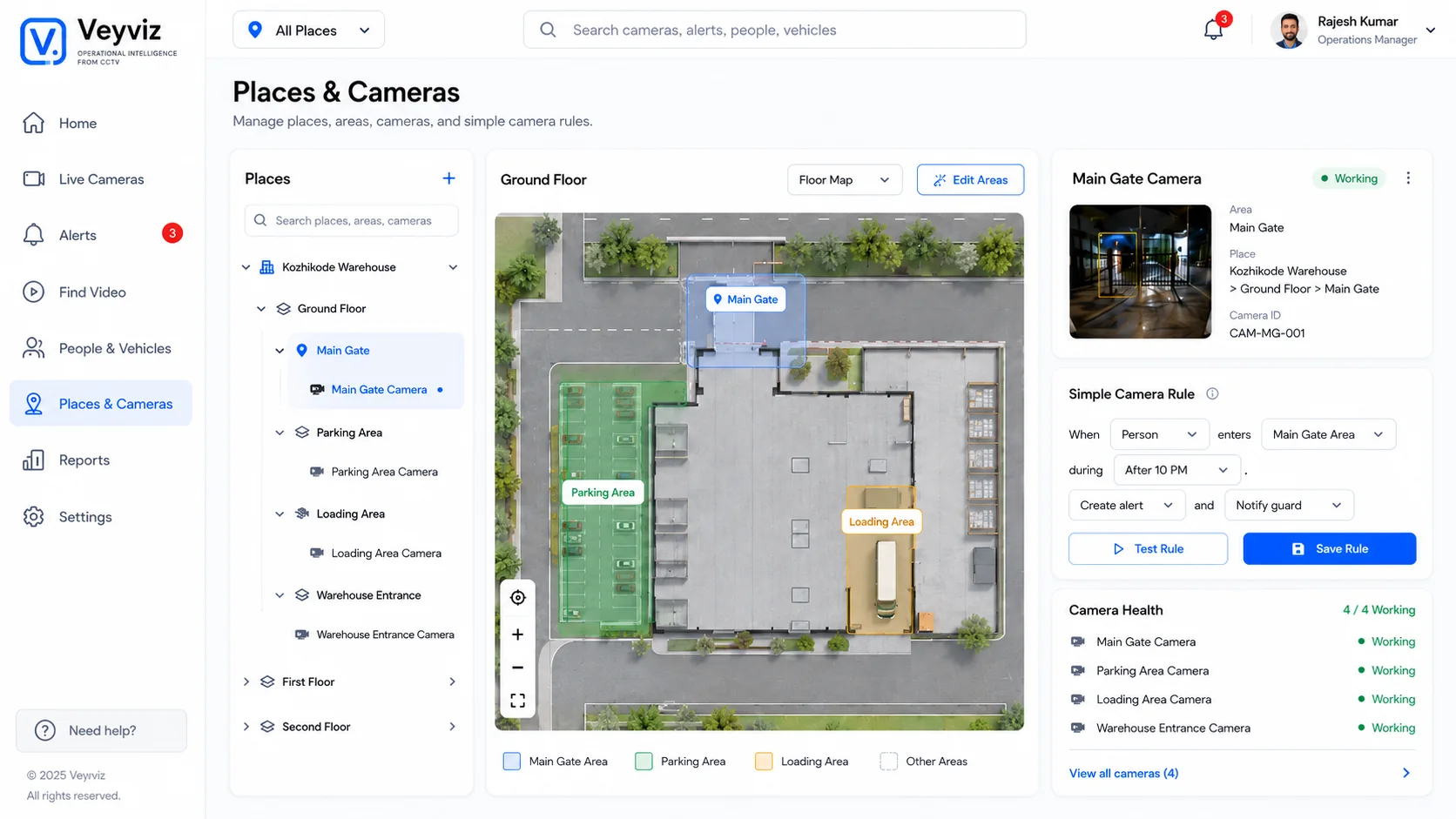
Map sites, areas and cameras; spot problems and compare activity.
Why operations and IT choose Veyviz
Bring suitable cameras and recorders into Veyviz, organize them by site and test one useful response first.
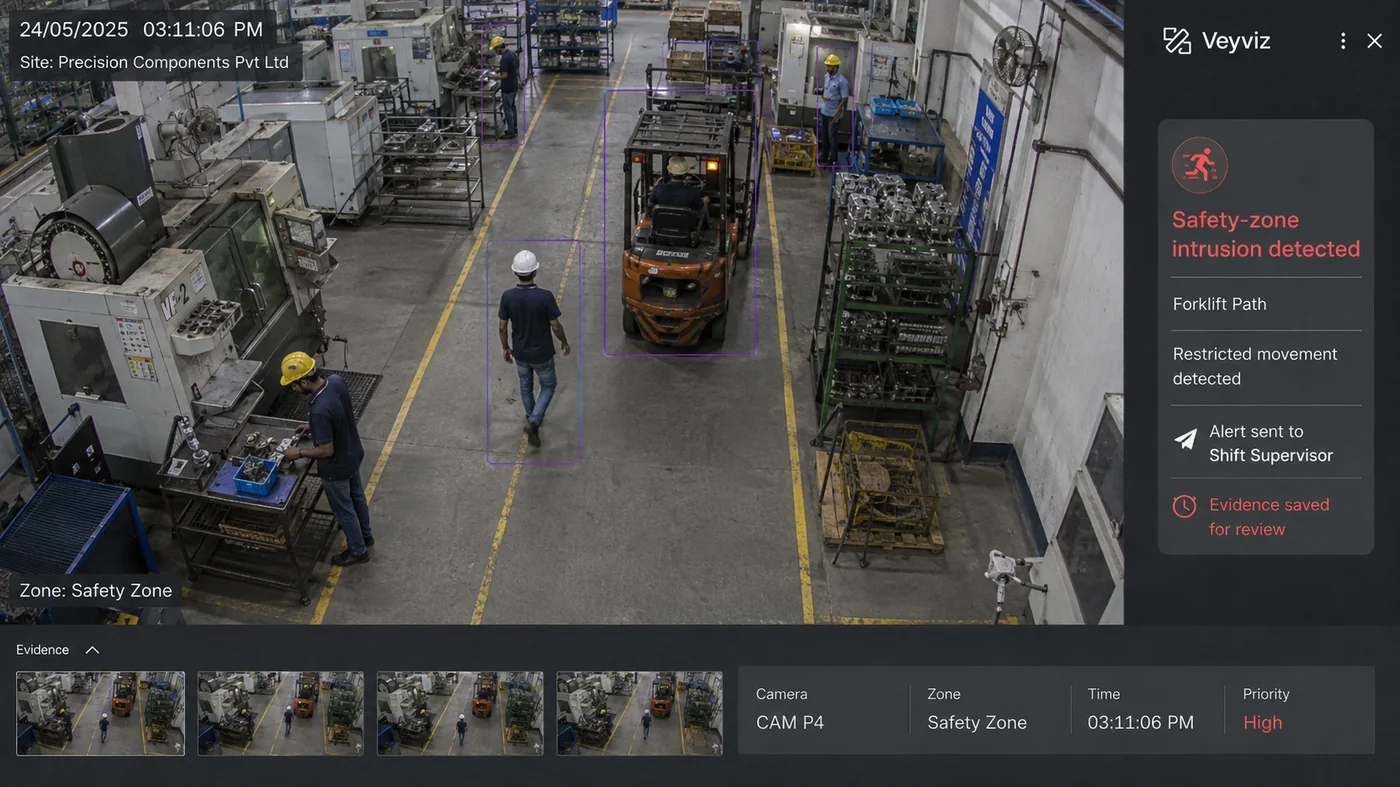
Teams see what happened, who should respond, how long it has been open and what proves the job is done.
Send one useful message—with the event, place and next step already clear.
Reach the on-duty person Escalate when nobody respondsRecord the response
Choose what each person can access, how long video proof is kept and which actions are recorded.
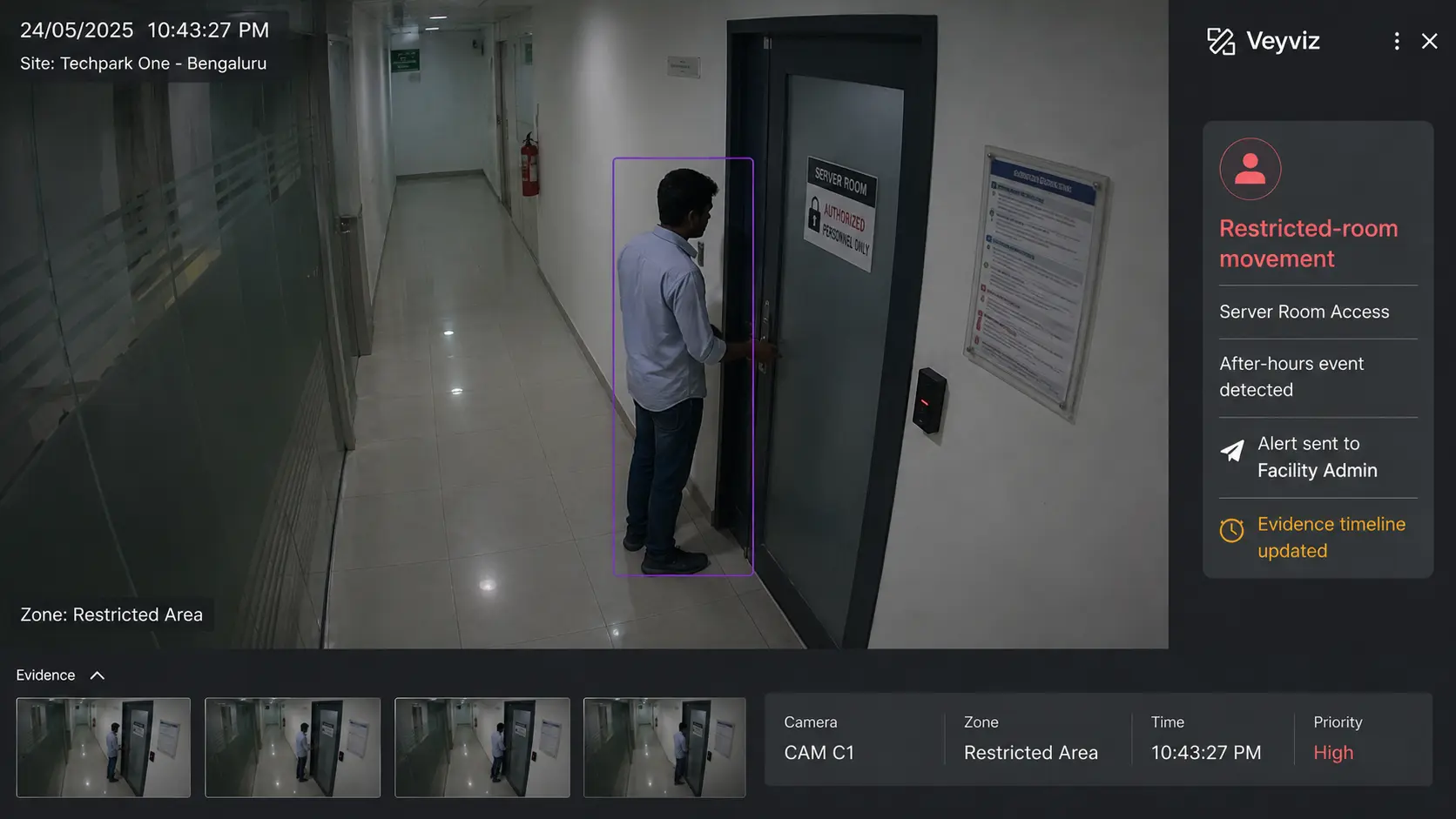
Organize regions, sites, buildings, floors, zones and camera groups so managers see the whole operation without losing local context.
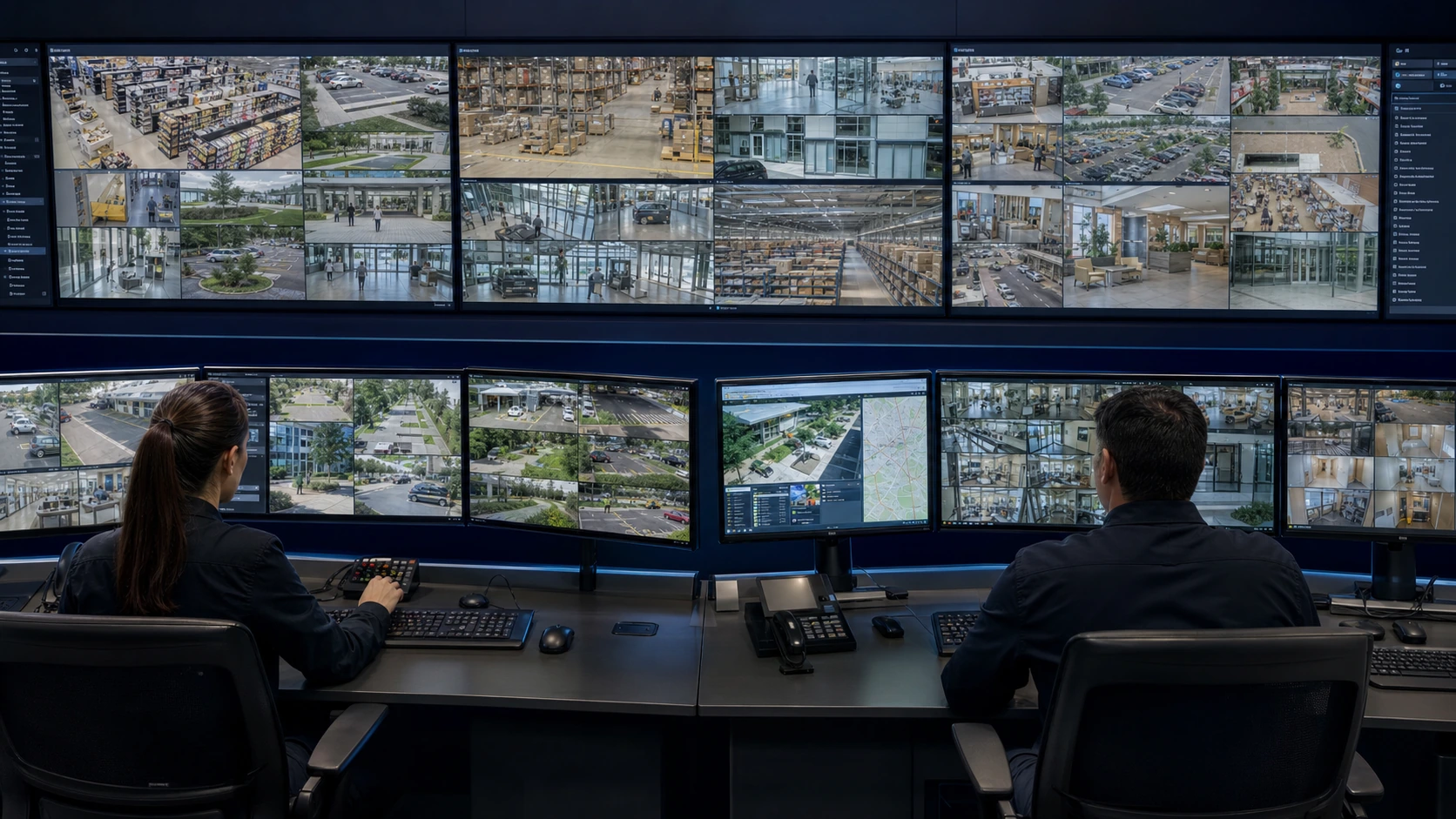
Direct answers
We start with the cameras, areas and result you need. We never assume every camera can handle every use case.
See the setup planIt can connect to compatible cameras and recorders when the video quality, network access and site rules allow it. We check compatibility before recommending a first test.
Not necessarily. Start with suitable feeds and priority zones. Upgrade only where access, angle, quality or reliability is insufficient.
Yes. A useful first test can focus on a gate, entrance, counter, corridor, common area, parking area or restricted room.
We check compatibility, choose one measurable use case, plan secure access, set up the alerts, test with your site team and train users before adding more cameras.
See it at your site
Bring a real site problem. We’ll show how Veyviz turns it into an alert, sends it to the right person and records what was done.
