
Picture, place and action.
Veyviz products
One platform for every camera, screen and response.
Connect compatible CCTV to Veyviz. See, alert, act and keep proof on any screen.
Product family
Choose a screen or tool.
Web, mobile, alerts, cameras, maps and AI.
Web
Veyviz Web Console
Watch cameras, alerts and reports.
Open web product → MobileVeyviz Mobile PWA
Review and act from phones or tablets.
See mobile → SearchAI Search & Investigation
Find people, vehicles and events.
See AI tools → AlertsAlerts & Follow-ups
WhatsApp, SMS, email and in-app alerts.
See alerts → ConnectCamera Connector
Use approved cameras and recorders.
Connect cameras → MapsPlaces, Maps & Zones
See sites, zones, health and alerts.
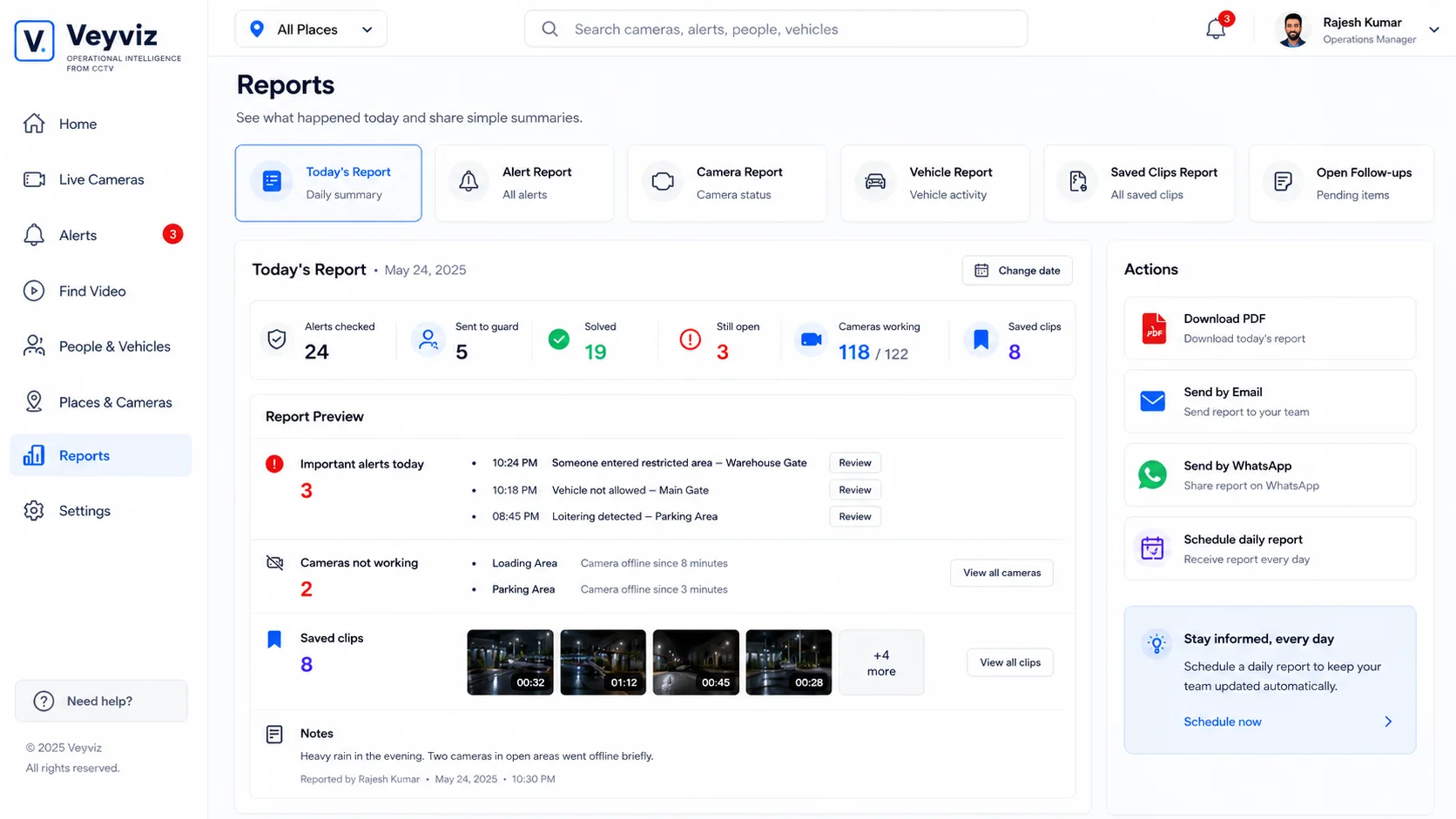
See maps →Veyviz Web Console
See every camera alert and response in one place.
Watch, check, find and report from one browser screen.
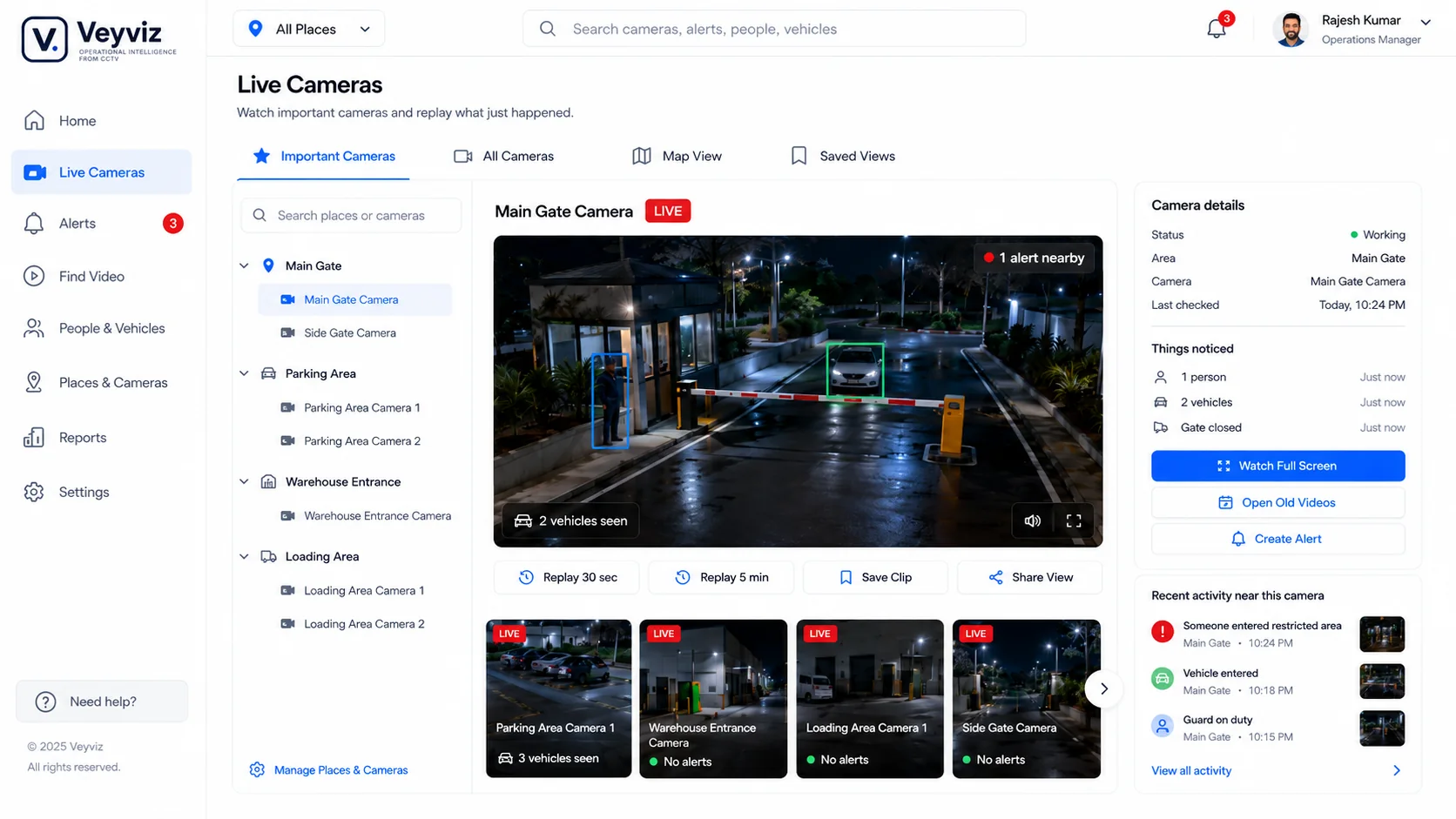
 Live camerasPriority views and camera health.
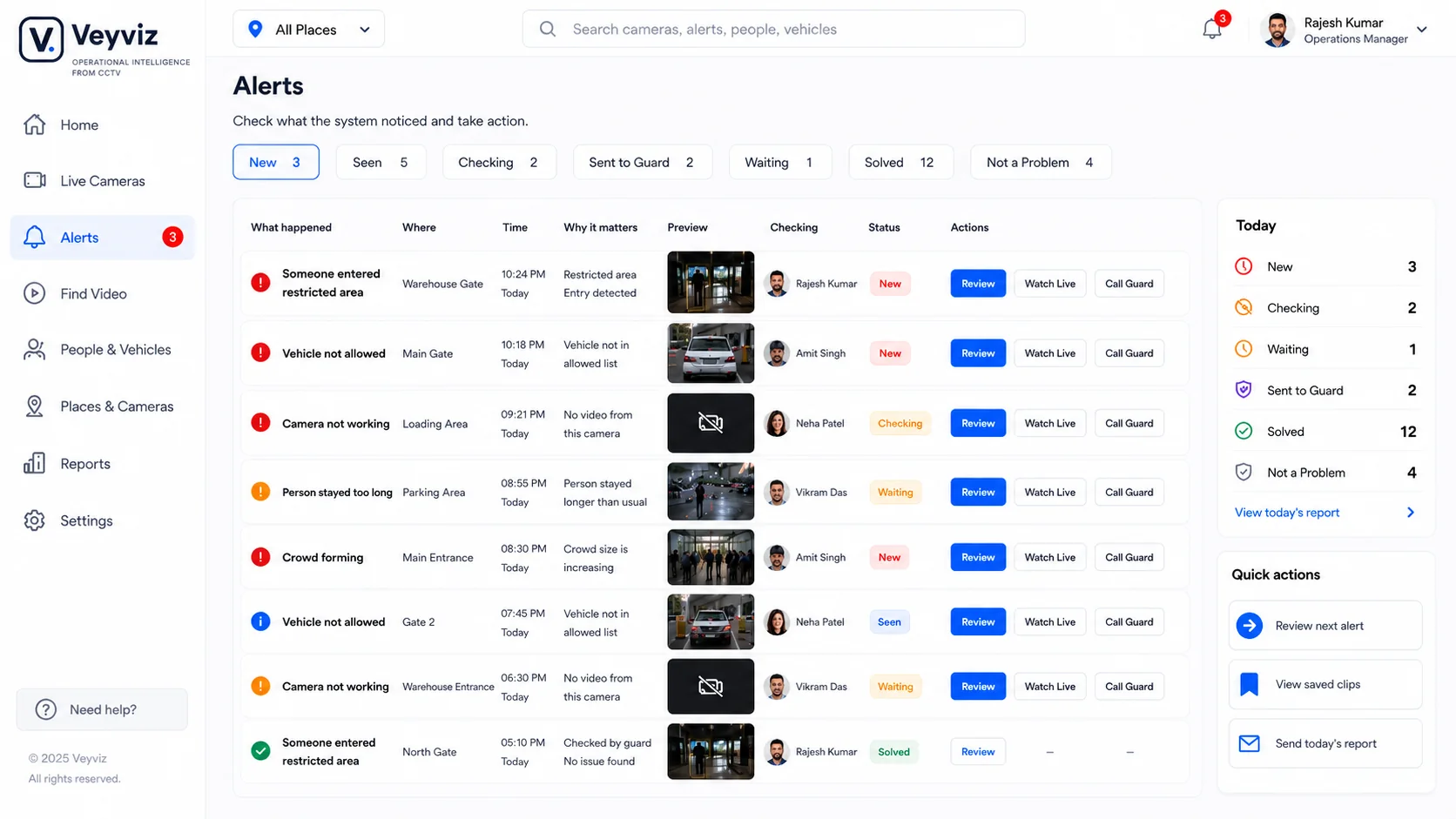
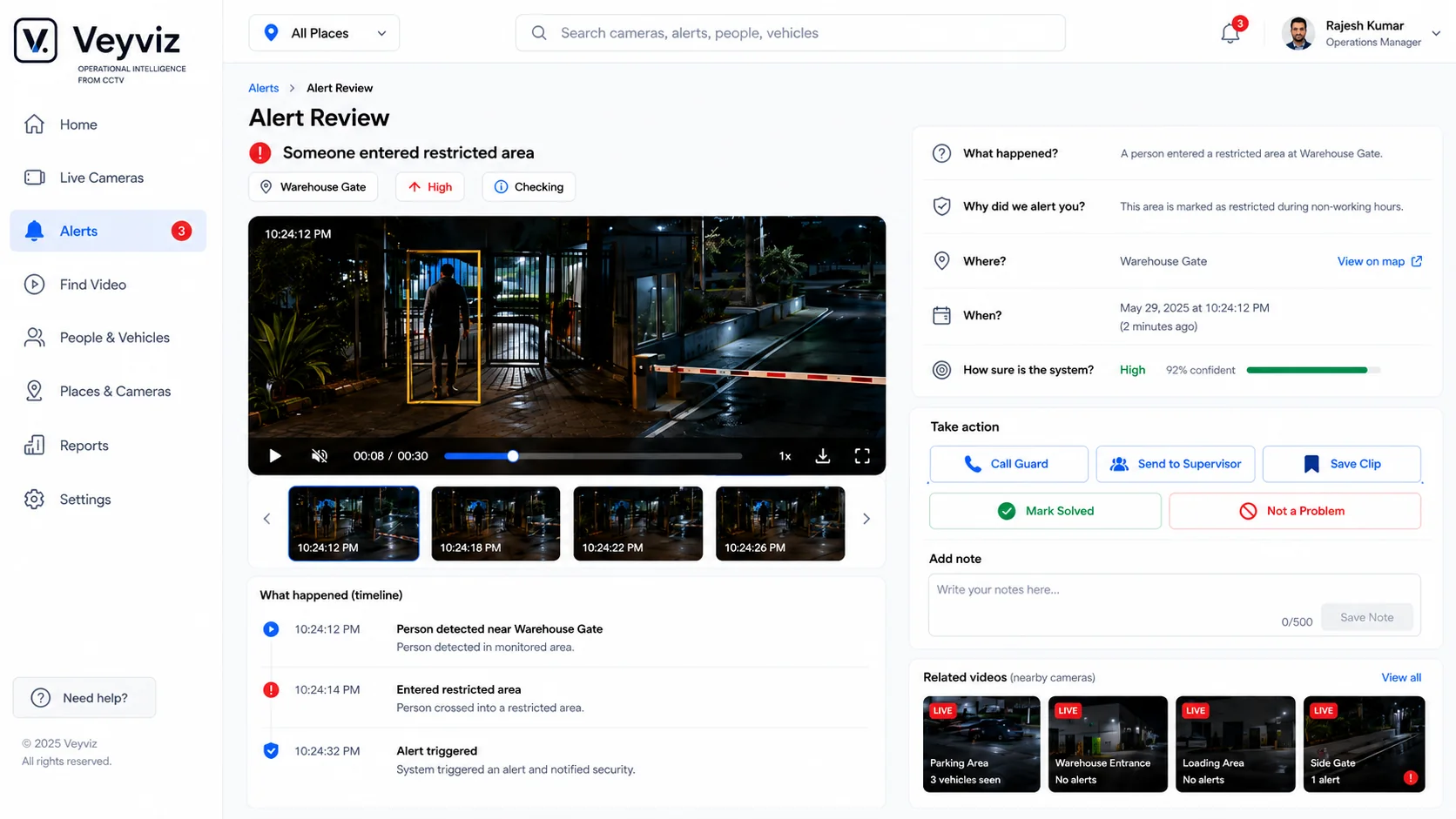
 AlertsEvent, owner and next step.
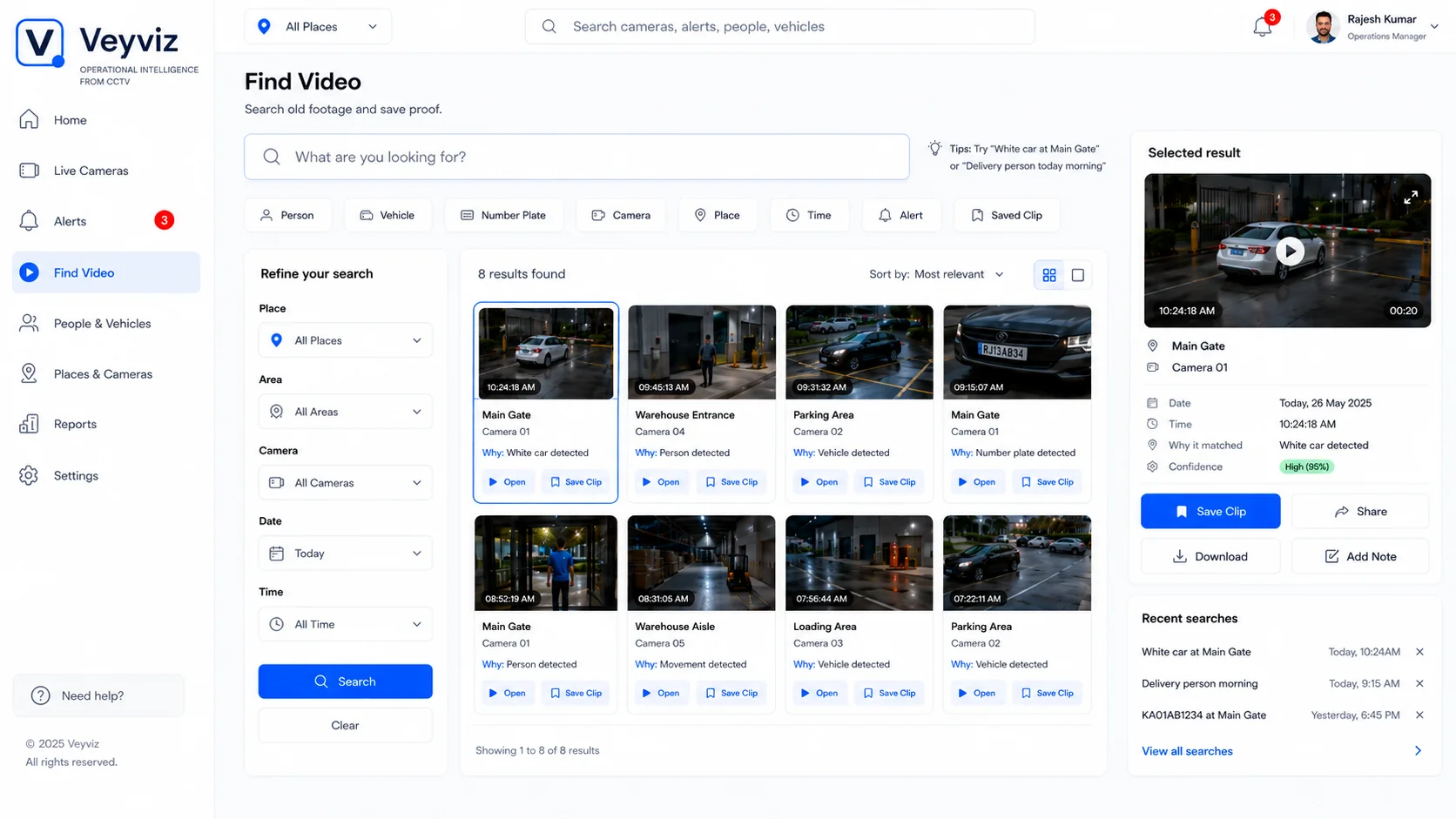
 Find videoPeople, vehicles, place and time.
 ReportsAlerts, clips and open work.
Mobile PWA
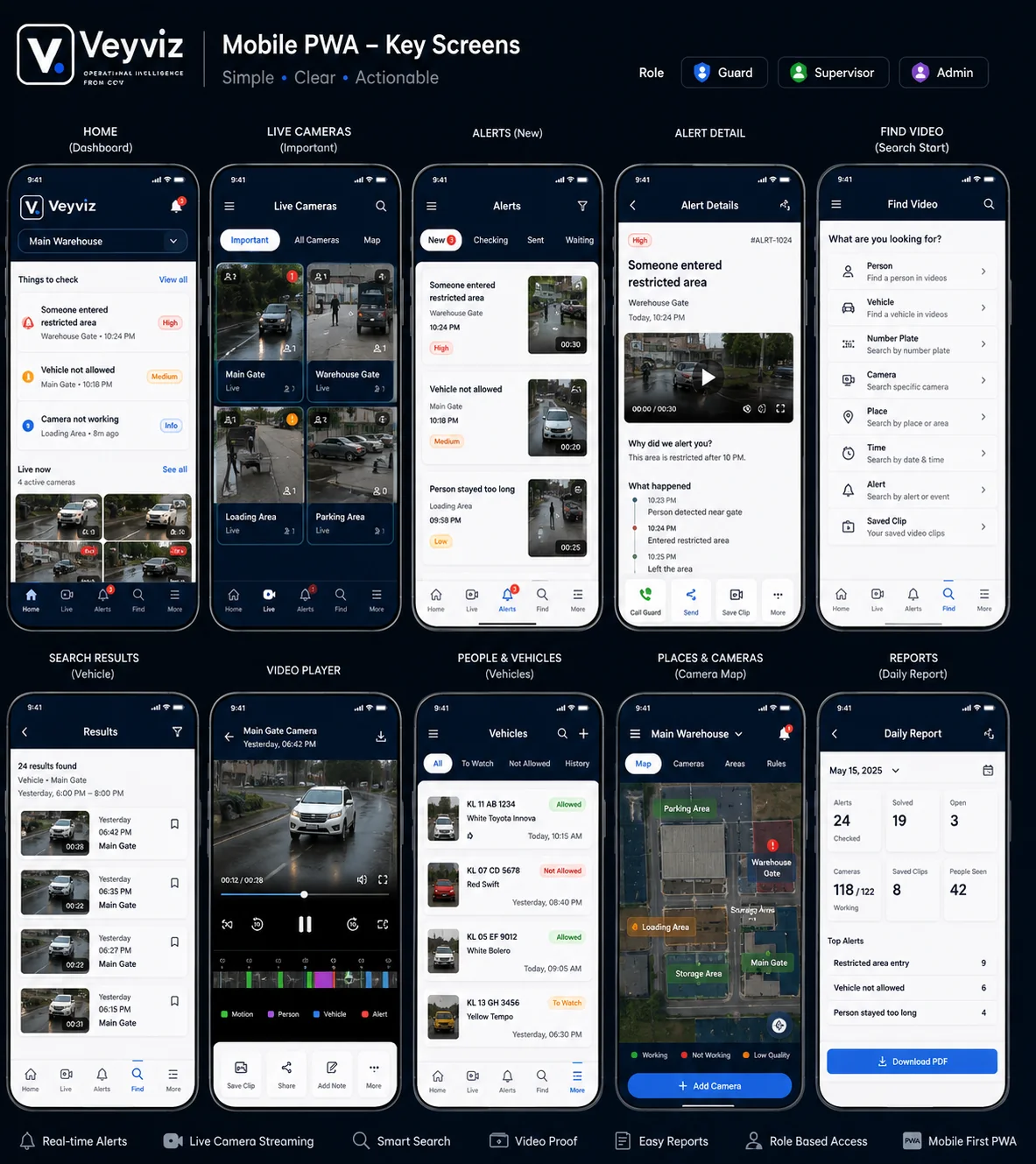
Take the event to the person who can act.
See and act from a phone or tablet.
 Live viewCameras and current alerts.
- Alert detailWhat happened and why.
- Find videoFind, save and share clips.
 Maps & reportsLocations and daily results.
Alerts & follow-ups
Send alerts where people look.
Choose who gets it, when and the backup.

SMS
Short urgent backup.

Detail and summaries.

Veyviz app
Full event record.
Seen→Sent→ Replied→
 Closed
Camera Connector
How CCTV connects to Veyviz.
We check the camera, recorder, network and video feed before setup.
Your existing CCTVIP camerasNVR / DVR recordersStandard video feedsSupported edge devices
IP camerasNVR / DVR recordersStandard video feedsSupported edge devicesSecure video access→
V.Veyviz ConnectorChecks feeds, camera health and location.
Events and video proof→
Veyviz products Web, mobile and tablet
 WhatsApp, SMS and email
 Automatic actionsReports and history
Web, mobile and tabletWhatsApp, SMS and emailAutomatic actionsReports and history- 01 / CheckConfirm model, picture and network.
- 02 / ConnectAdd each approved feed.
- 03 / OrganizeName the site, area and owner.
- 04 / TestCheck alert, recipient and response.
Camera brandsUse supported cameras from leading brands.
- Bosch
- Axis
- Hanwha Vision
- Hikvision
- Dahua Technology
- Uniview
We confirm the exact camera, recorder and network before setup.
Places & Cameras
See every site, floor, zone and camera in context.
Select a place or zone to see cameras, rules, health, alerts and activity.
- Places and floorsSite → floor → area → camera.
- Zone divisionsDraw entrances, parking, loading and restricted areas.
- Alerts and camera healthSee alerts and offline cameras.
- HeatmapsSee busy zones and alert hotspots.
- Zone rulesChoose what happens in each area.
ZonesCamera healthActive alertsFootfall heatmapAlert density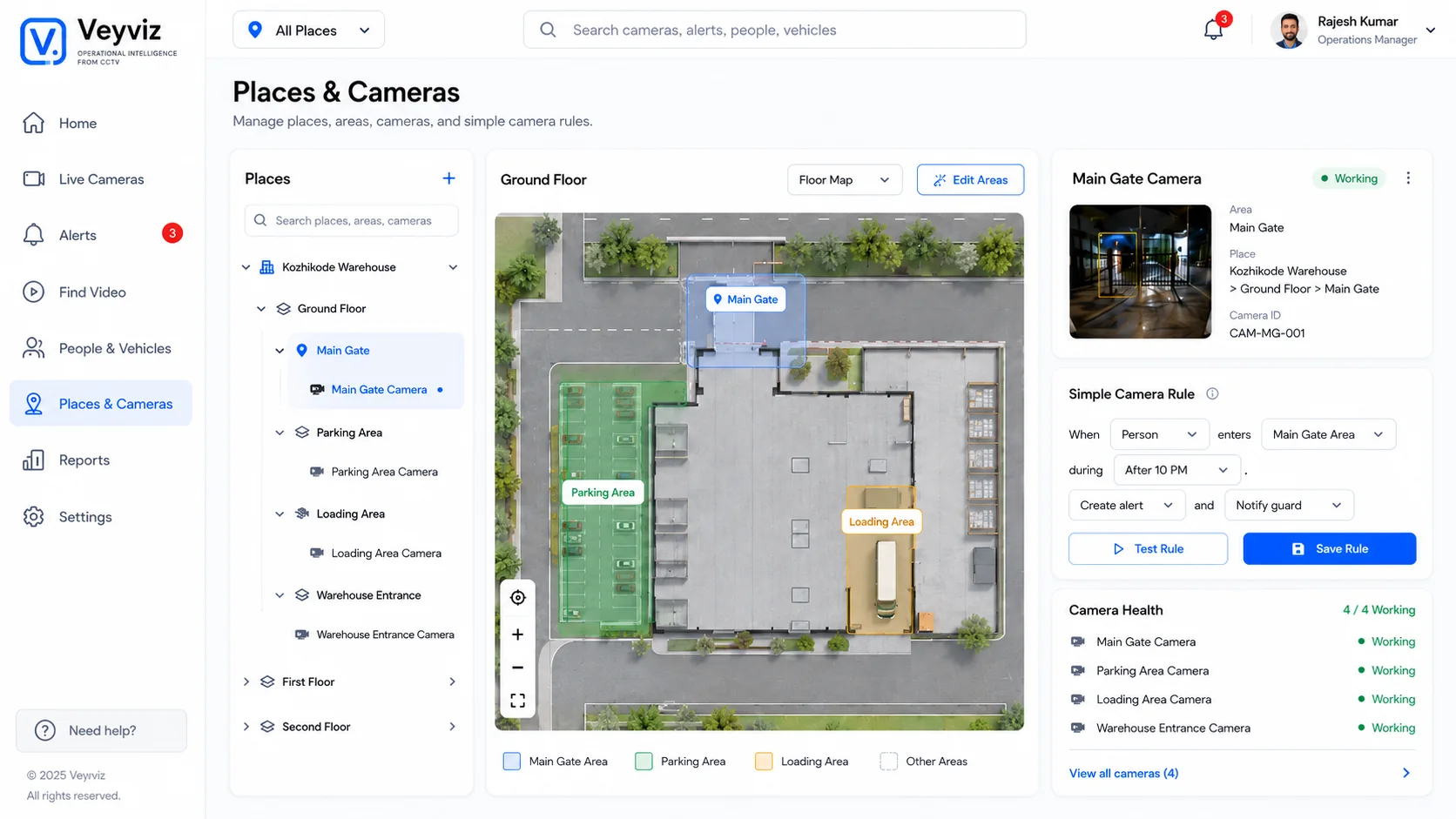
Veyviz AI capabilities
What the AI can do with connected camera video.
Find important activity, explain it, help people search and start the agreed response.
01 / Detect
Find visible events
Watch for site events.
- People and vehicles
- Queues and crowding
- Restricted or unsafe activity
02 / Understand
Add operating context
Add the business meaning.
- Site, zone and time
- Rule and priority
- Picture or event clip
03 / Search
Search video in plain language
Describe what you need.
- People, vehicles and activity
- Place, camera and time
- Save useful results
04 / Review
See exactly what happened
Keep video and decisions together.
- Event timeline
- Owner, notes and actions
- Before-and-after proof
05 / Act
Send alerts and follow up
Send the event to the right person.
- WhatsApp, SMS, email or Veyviz
- Reminders and backup people
- Response and result
06 / Improve
See what is working
See patterns across sites.
- Repeated problems
- Response time
- Site and camera health
AI showsWhat happened and where.
→People decideReview, act or reassign.
→Veyviz keepsResponse, time and result.
Set up for each site.
We choose the right features for the camera view, event, responsible person and result you need.
See capabilities by use case