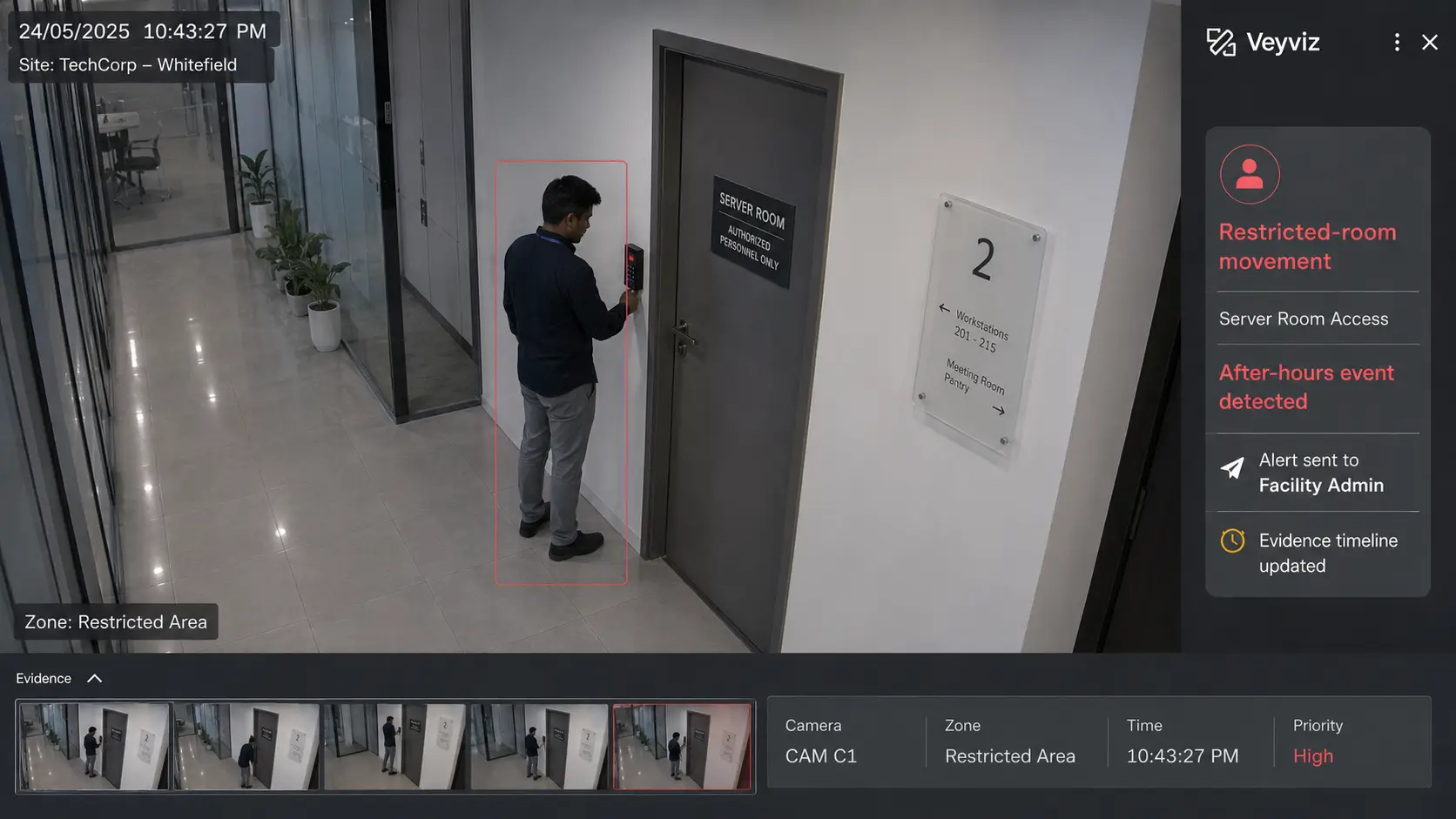
TechCorp · 11:42 PMRestricted-room movement92% relevance
See the product
Start with the actual Veyviz web and mobile screens, then follow one alert through a guided workflow.
Try this with an event from my site →Actual product screens
Watch cameras, review alerts, search evidence, manage mapped zones and share reports from one product.
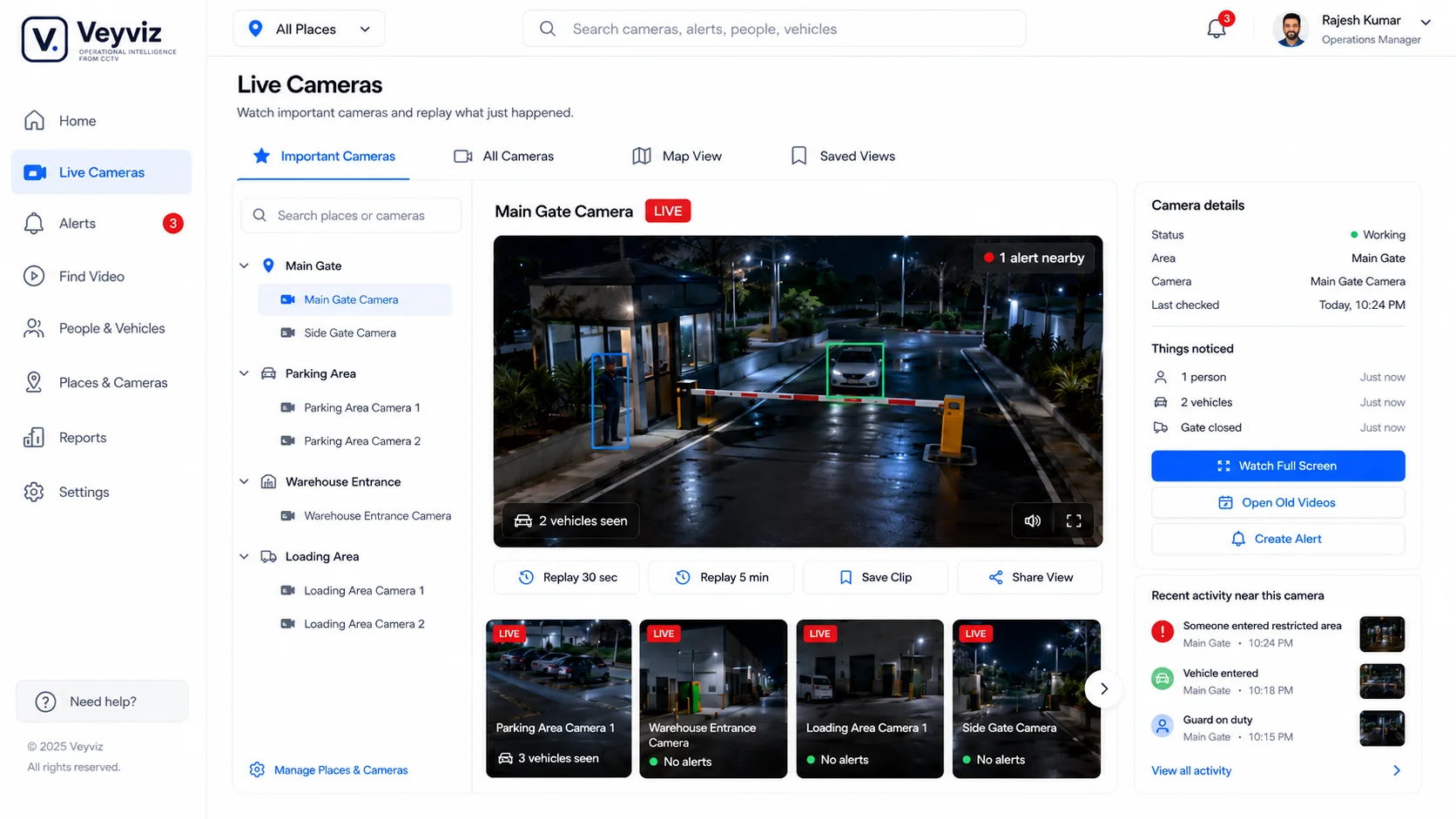
Priority views, camera details and recent activity.
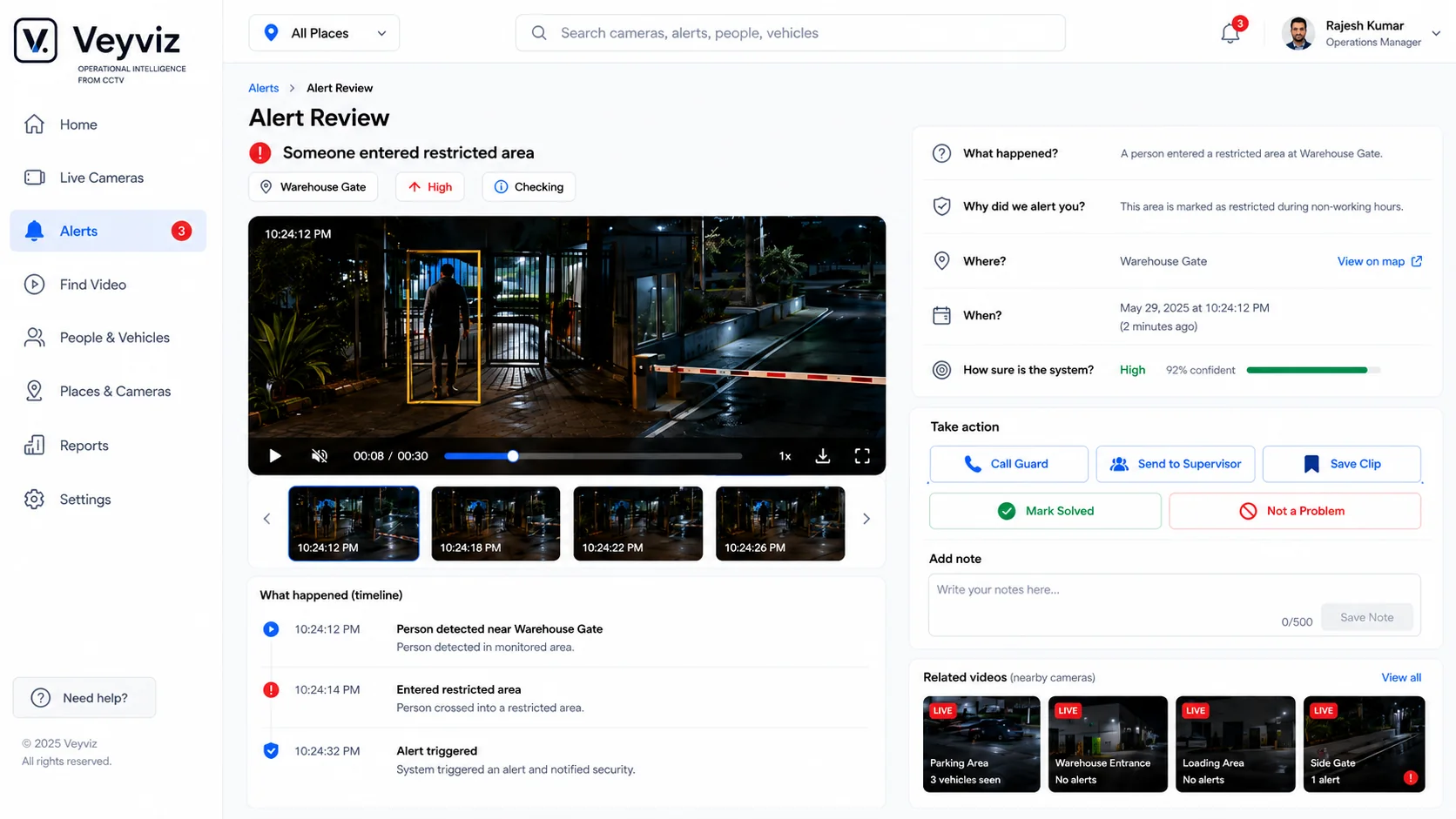
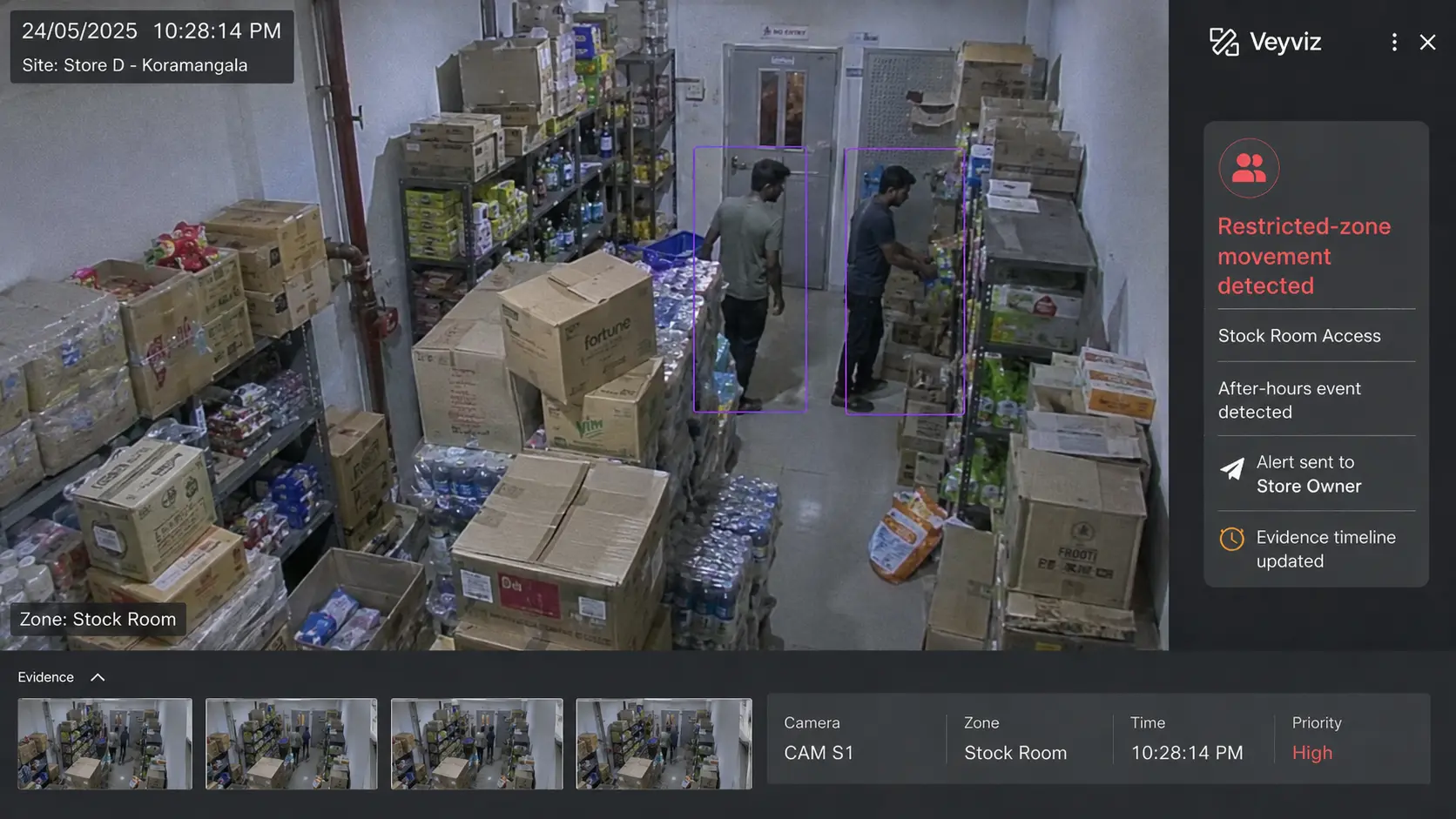
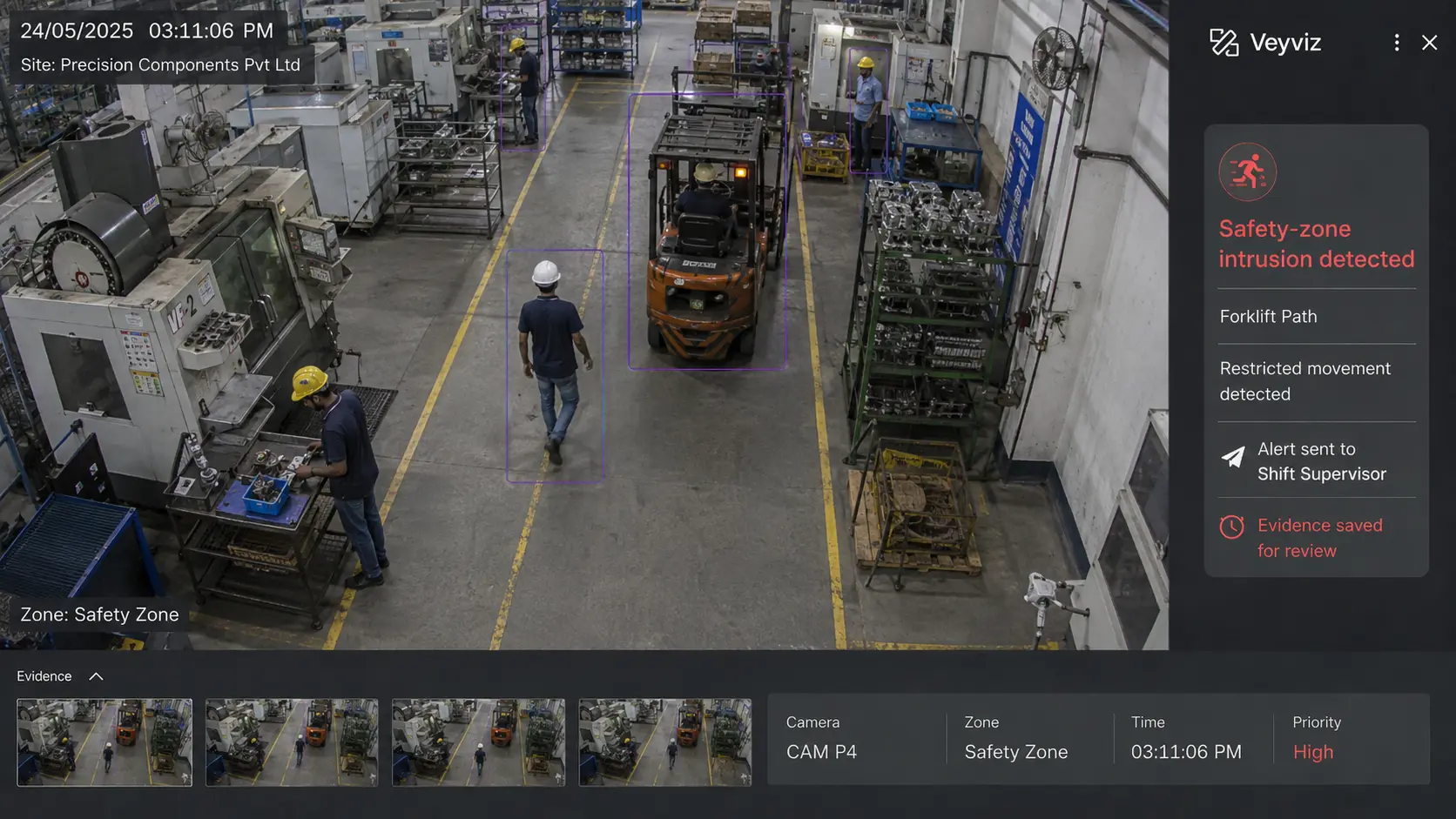
Evidence, context, action and timeline together.
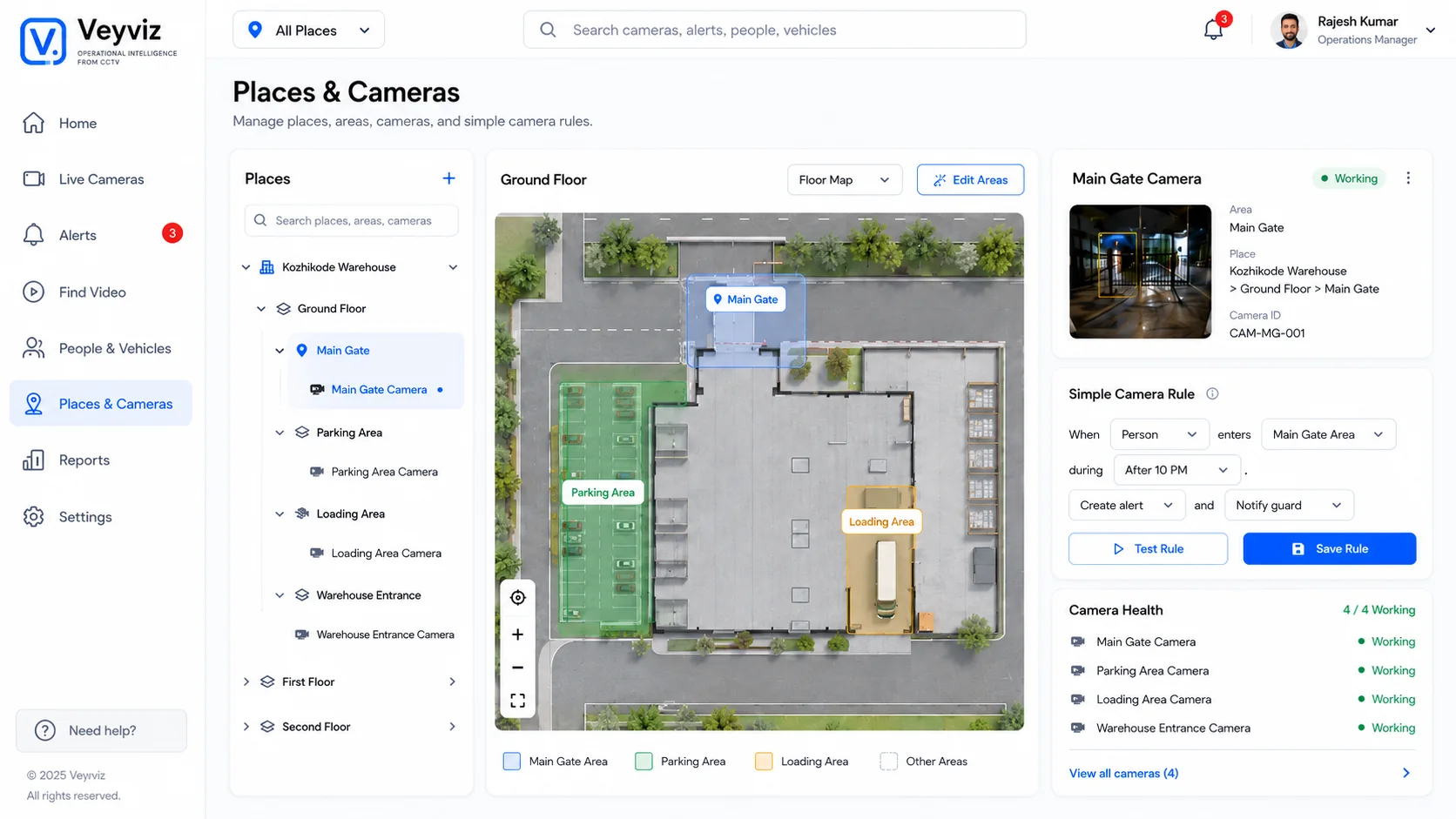
Floors, zones, camera health, rules and map layers.
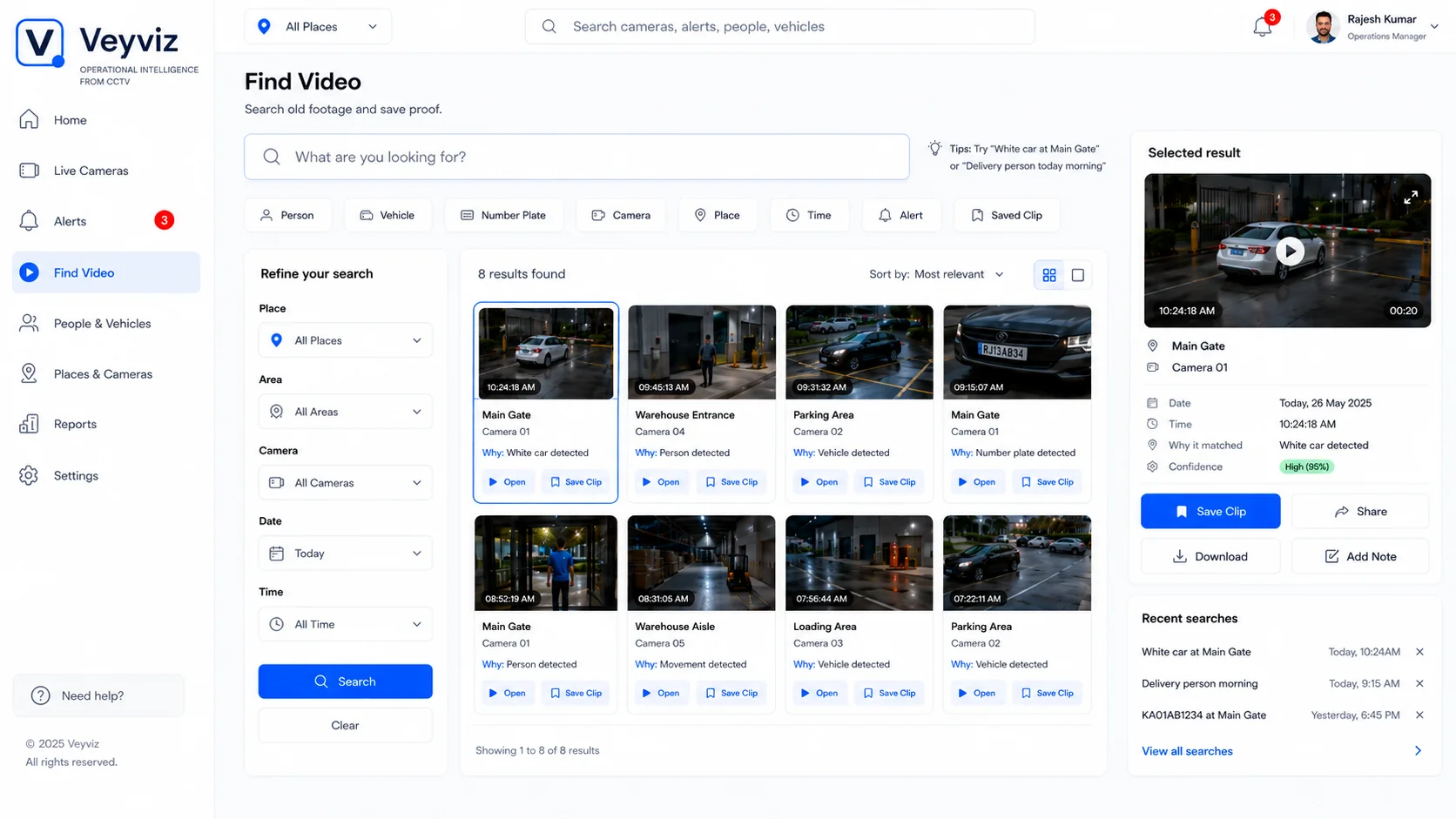
Search footage and preserve useful proof.
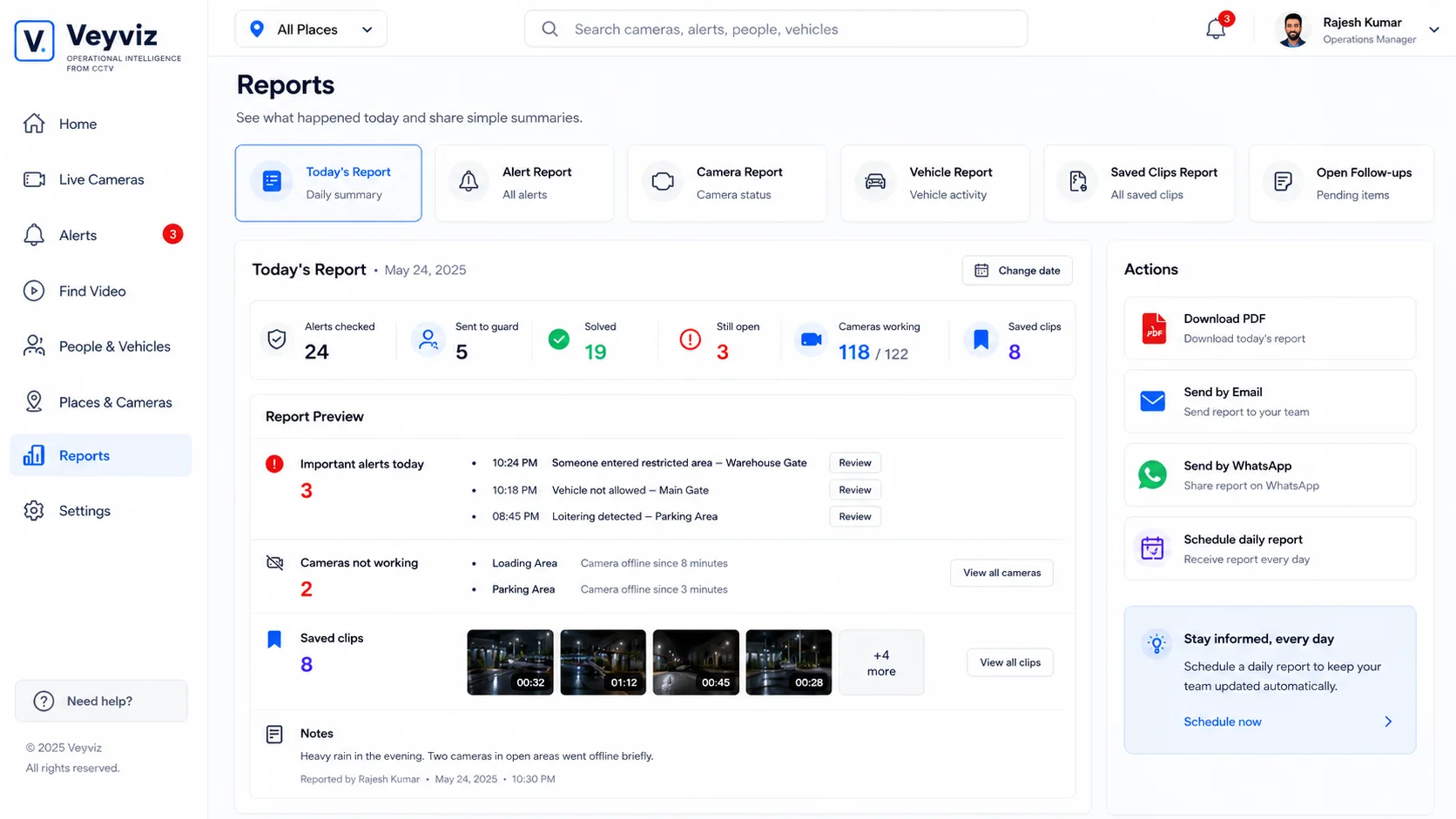
Share alerts, camera health and follow-ups.
Guided workflow
Select an event, review the evidence, take responsibility and verify the result.
Command center
Ask about past events
Set rules without coding
See what is improving
Want to try your own event?